
An AI slides generator is a tool that uses artificial intelligence to create presentation slides from a prompt, outline, document, or existing content. Instead of manually writing slide titles, arranging layouts, and formatting every page, users can generate a first draft in minutes.
The best AI slides generators do more than turn text into slides. They help organize ideas, summarize long content, create a logical structure, improve visual layouts, and make presentations easier to edit. For business users, the most important factors are usually professional design, editable output, PowerPoint compatibility, and the ability to turn different file types into slides.
Whether you are creating a business report, sales deck, pitch deck, training presentation, marketing update, or classroom lecture, AI slide tools can help you move faster and reduce repetitive slide work.
1. Dokie AI
Best for: Editable, business-ready PowerPoint presentations
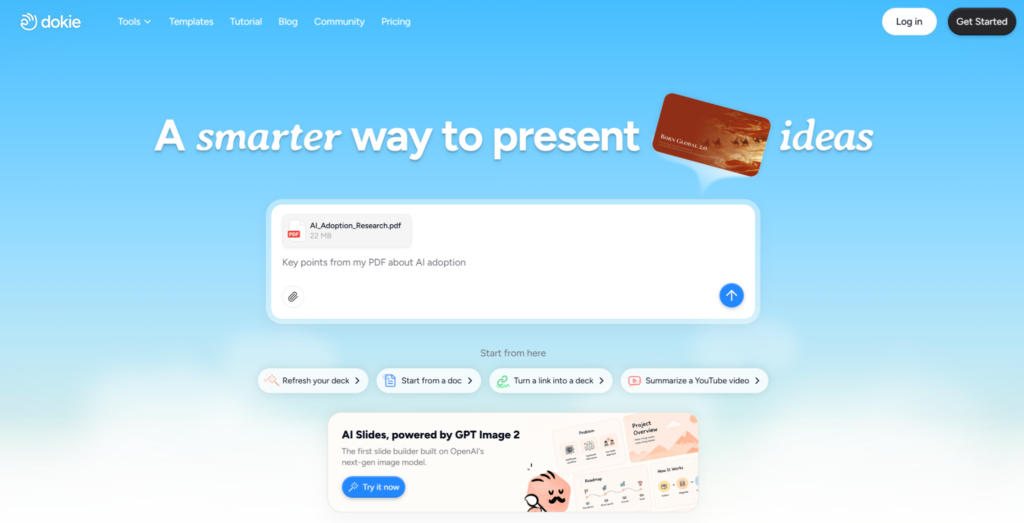
Dokie AI is an AI presentation maker built for users who need clean, structured, and editable slide decks. It is especially useful for business reports, marketing presentations, sales decks, pitch decks, client proposals, product introductions, internal training materials, and professional meeting slides.
Unlike some AI presentation tools that focus mainly on visual storytelling or web-style pages, Dokie AI is designed around practical presentation workflows. Users can generate a complete deck, review the structure, edit important slides, and export the result for further use.
One of Dokie AI’s biggest advantages is that it supports multiple content-to-PPT tools. Many users do not start with a blank prompt. They already have documents, reports, PDFs, spreadsheets, screenshots, or web content. Dokie AI helps turn those materials into presentation-ready slides.
Key Dokie AI tools
Text to PPT
Text to PPT helps users turn notes, bullet points, outlines, or rough ideas into a complete presentation. It is useful when you already have the core message but need help organizing it into slide format.
Word to PPT
Word to PPT is useful for converting reports, proposals, articles, briefs, and long-form documents into structured slide decks. It helps users repurpose written content into a more visual presentation format.
PDF to PPT
PDF to PPT helps users convert PDF files into presentations. This is useful for research papers, white papers, company reports, course materials, and training documents.
Excel to PPT
Excel to PPT is helpful for turning spreadsheets, data tables, KPI reports, sales summaries, marketing performance reports, and financial data into presentation slides.
JPG to PPT and PNG to PPT
These tools help users convert screenshots, diagrams, visual notes, scanned content, and image-based materials into slides.
HTML to PPT
HTML to PPT is useful for turning web pages, landing pages, online reports, product pages, or structured HTML content into presentation decks.
Why choose Dokie AI?
Choose Dokie AI if you want an AI slides generator that creates practical, editable, and business-ready presentations. It is especially valuable for users who need to turn existing content into PowerPoint-style decks without rebuilding everything manually.
2. Gamma
Best for: Modern visual storytelling
Gamma is a popular AI presentation tool that helps users create presentations, documents, and web-style content from prompts. It is known for its clean design, fast generation, and modern presentation experience.
Gamma is especially useful when you want to create content that feels more like a polished visual story than a traditional PowerPoint deck. It works well for product explainers, startup ideas, educational content, internal updates, and async sharing.
Compared with traditional slide tools, Gamma feels more flexible and modern. It can help users quickly turn an idea into a visually engaging presentation without spending too much time on layout.
However, Gamma may not be the best fit for users who need a highly editable PowerPoint-style workflow. If your final deck needs to be revised heavily in PowerPoint, you may need to check the exported result carefully.
Why choose Gamma?
Choose Gamma if you want modern, web-style presentations and visual storytelling. It is a strong option for users who care about fast creation and polished digital presentation experiences.
3. Canva AI Presentation Maker
Best for: Design flexibility and visual customization
Canva is one of the most popular design platforms, and its AI presentation maker is useful for creating slide drafts quickly. Users can generate a presentation from a prompt and then customize it with templates, images, graphics, fonts, icons, and brand assets.
Canva is especially strong for users who care about visual design. Marketers, creators, educators, small business owners, and social media teams can use Canva to create polished presentations with strong visual appeal.
The biggest advantage of Canva is its design ecosystem. Even if the AI-generated first draft is not perfect, users can quickly improve it with templates, stock images, charts, icons, and brand kits.
Compared with business-focused AI slide tools, Canva may require more manual work to create a highly structured professional deck. But for visual customization, it is one of the easiest tools to use.
Why choose Canva?
Choose Canva if you want an AI slides generator with strong templates, easy editing, and flexible visual customization.
4. Beautiful.ai
Best for: Consistent team presentations
Beautiful.ai is a presentation tool focused on smart layouts, design consistency, and brand control. It helps users create professional slides without manually adjusting every element.
This makes Beautiful.ai especially useful for teams. Sales teams, marketing teams, startups, and business departments can use it to create consistent presentations across different users and projects.
Beautiful.ai’s smart slide system helps prevent messy layouts. When users add or remove content, the design adjusts automatically. This makes it easier to create polished decks even if the user is not a designer.
Compared with tools like Gamma or Canva, Beautiful.ai gives users less freeform design flexibility, but that is also part of its value. It helps teams stay clean, professional, and on brand.
Why choose Beautiful.ai?
Choose Beautiful.ai if your team needs consistent, professional presentations with smart layouts and design guardrails.
5. Tome
Best for: Narrative presentations and idea storytelling
Tome is an AI-powered storytelling tool that helps users create narrative-style presentations. It is useful for founders, creators, product teams, educators, and anyone who wants to explain ideas visually.
Tome works well for concept presentations, startup stories, product narratives, creative pitches, and visual explainers. Its output often feels more like a storytelling canvas than a standard business deck.
This makes Tome a good choice when the goal is to communicate an idea in a modern and engaging way. It can help users create a strong visual flow without starting from scratch.
However, Tome may not be the best option for users who need a traditional corporate presentation, strict PowerPoint formatting, or detailed business report slides.
Why choose Tome?
Choose Tome if you want an AI tool for storytelling, concept decks, and visually presenting ideas in a modern format.
6. Plus AI
Best for: PowerPoint and Google Slides workflows
Plus AI is designed for users who want AI slide generation inside familiar presentation tools like PowerPoint and Google Slides. Instead of forcing users to create presentations in a separate platform, Plus AI fits into existing workflows.
This is useful for consultants, analysts, teachers, business teams, and professionals who already have internal templates or preferred slide formats. Plus AI can help generate new decks, rewrite content, improve existing slides, and adjust presentation structure.
The main advantage of Plus AI is workflow compatibility. Users can keep working in tools they already know while adding AI support to speed up the process.
Compared with standalone AI presentation platforms, Plus AI may feel less visually experimental, but it is practical for people who need to edit and collaborate in PowerPoint or Google Slides.
Why choose Plus AI?
Choose Plus AI if you want AI presentation assistance inside PowerPoint or Google Slides instead of moving to a separate AI slide platform.
7. SlidesAI
Best for: Quick Google Slides creation
SlidesAI is an AI slides generator built for users who want to create presentations quickly, especially in Google Slides. It can help turn text into slides and simplify the process of creating presentation drafts.
SlidesAI is useful for students, teachers, marketers, and professionals who need a fast way to create slides from written content. It is especially convenient for users who already work inside Google Workspace.
The tool is lightweight and practical. It may not offer the same design depth as Canva or the same business-ready workflow as Dokie AI, but it is useful for quick slide generation.
If you often create simple presentations and want to avoid manual copy-paste work, SlidesAI can save time.
Why choose SlidesAI?
Choose SlidesAI if you mainly use Google Slides and want a simple AI tool for turning text into presentation drafts.
8. Microsoft Copilot for PowerPoint
Best for: Microsoft 365 users
Microsoft Copilot for PowerPoint is a natural choice for users who already work inside Microsoft 365. It helps users create, rewrite, summarize, and improve presentations directly in PowerPoint.
The biggest benefit is convenience. Many companies already use PowerPoint as their default presentation tool, so Copilot fits into the existing workflow without requiring users to adopt a separate platform.
Copilot is especially useful when your content already exists in Word documents, meeting notes, emails, or internal Microsoft files. It can help turn existing materials into slides and assist with rewriting or improving presentation content.
However, Copilot may not be the best choice for users who want a specialized AI presentation platform with multiple content-to-PPТ tools. It is most valuable for teams already committed to Microsoft 365.
Why choose Microsoft Copilot?
Choose Microsoft Copilot if you already use PowerPoint and want AI slide generation inside the Microsoft 365 ecosystem.
How to Choose the Best AI Slides Generator
The best AI slides generator depends on how you create and use presentations.
If you need business-ready, editable PowerPoint-style decks, Dokie AI is a strong choice. It is especially useful if you often work with documents, PDFs, spreadsheets, images, web pages, or rough notes and want to turn them into slides quickly.
If you want modern visual storytelling, Gamma is a great option. If design customization matters most, Canva is one of the strongest choices. If your team needs consistent branded decks, Beautiful.ai can help. If you want narrative-style presentations, Tome is worth trying. If you prefer to stay inside Google Slides or PowerPoint, Plus AI, SlidesAI, or Microsoft Copilot may fit better.
Before choosing a tool, think about your final output. Do you need a PPTX file? Do you need to convert existing content into slides? Do you need brand control? Do you care more about visual storytelling or traditional business structure? The answers will help you choose the right tool.
Final Verdict
AI slides generators are useful for anyone who creates presentations regularly. They help users avoid the blank-page problem, organize ideas faster, and reduce the time spent on formatting and layout.
Among the best AI slides generators, Dokie AI is one of the strongest options for business users because it focuses on practical, editable, and professional presentation workflows. Its tools like Text to PPT, Word to PPT, PDF to PPT, Excel to PPT, JPG to PPT, PNG to PPT, and HTML to PPT make it useful for many real-world scenarios.
Gamma, Canva, Beautiful.ai, Tome, Plus AI, SlidesAI, and Microsoft Copilot are also strong choices, but each one serves a different type of user. The best AI slides generator is the one that matches your actual workflow, your source materials, and the kind of presentation you need to create.